For ops teams
Your part of every check
Your developers wired up the checks. Now the reports land on your desk, and every provider decision is yours to stand behind.
From report to record, in seven steps.
A clear check stops at step four. A record takes three more.
A check starts in your app when a provider signs up. Your part starts when the report is ready. Each step below has its own page, so you can read the one in front of you.
- A report is readyA webhook in your tools, or a link from your developer.
- Open the reportOne page per check, and a PDF.
- Read the analyst’s noteWhat was searched, where, and what was found.
- Clear, or a recordA clear check ends here. A record goes to review.
- Review and decideYour criteria, your call.
- The letters, preparedDates filled in. You send them.
- The record, keptEvery step, timestamped.
A report page, and a simple dashboard.
Open a link from your developer, or log in and look the check up.
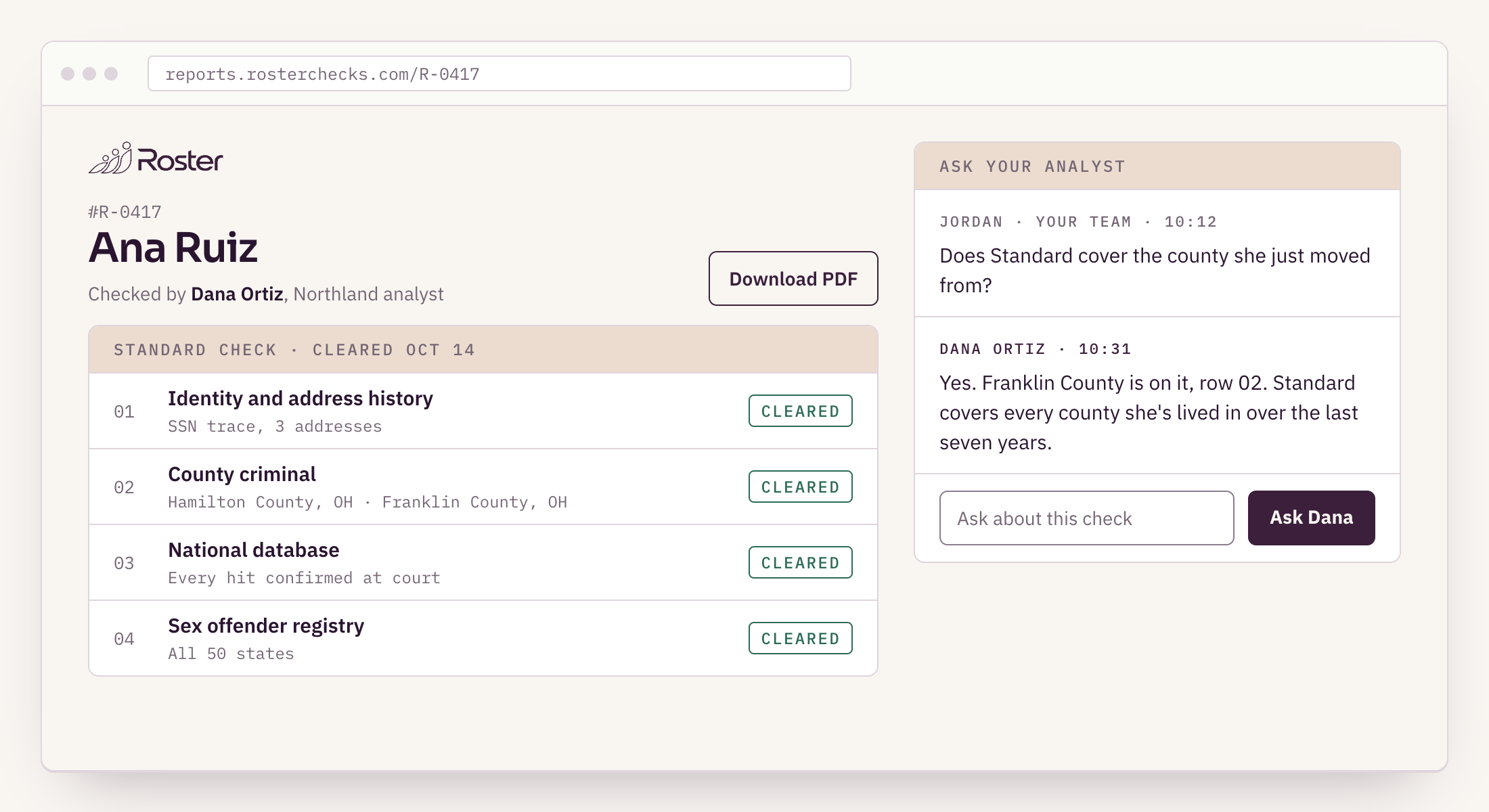
Roster hosts a report page for every check. Your developers can send the link straight into your tools, so a report opens like any other page. Or log in to Roster and find any check, past or open, with its status.
The dashboard is deliberately small: look up checks, see where each one stands, open the report. The steps that need a person, like adverse action, sit on the report page itself.

Every hit is reviewed before it reaches you.
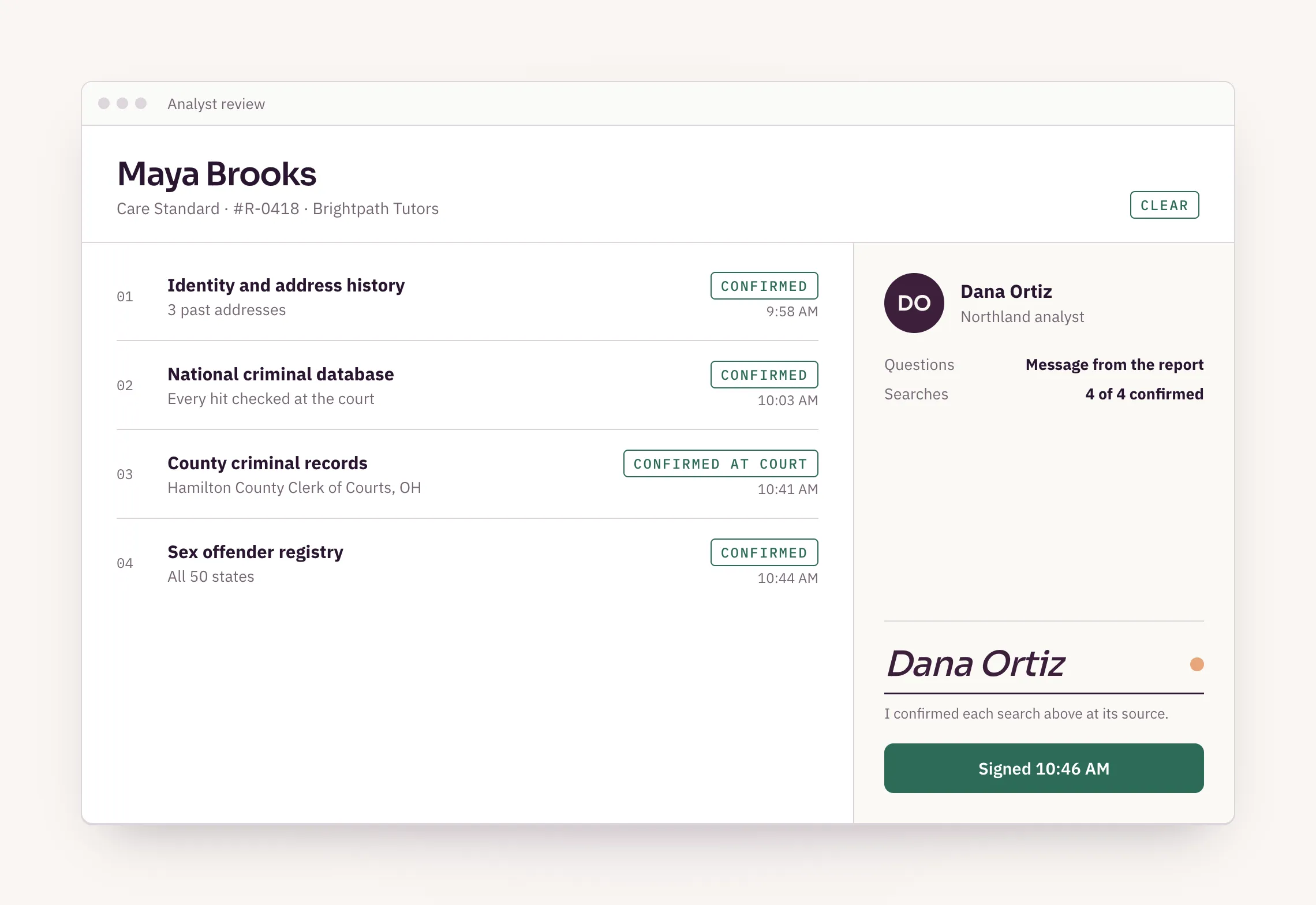
An analyst confirms each record belongs to your provider, and signs the report.
Then the record is confirmed at the court before it’s reported, on every package. On Basic, a database hit goes to the court that holds it; Standard and Complete search the county courts as well.
Questions about a result go to the analyst who signed it, from the report page. How to read a report.
We prepare. You decide.
Roster never makes the call on a provider. Your team does.
When a record matters for the job, Roster prepares the pre-adverse letter with the report copy and the summary of rights, puts the dates on it, and tells you when the waiting period ends. A person on an admin or reviewer seat approves each step. No agent or API key can.
That is everything you need to stay compliant, without drafting a letter. When a record shows up.
Your team
What stays with you
- Your screening criteria for each kind of job
- Reading the report and the analyst’s note
- An individualized assessment where the law asks for one
- Sending the letters Roster prepares
- The final call on every provider
One page for each part.
Read the one you need today.
See it with your own checks.
Tell us how your ops team works today. Sandbox keys right away if your engineers want to try it first.
- A report page and PDF for every check, signed by the analyst who reviewed it, with a way to message them from the report page.
- Status in the dashboard and by webhook. explain_status says which court a check is waiting on.
- Every possible record is confirmed at the court before it’s reported, on every package.
- Notices and letters prepared with the dates filled in, behind an approval gate only admin and reviewer seats can pass.
- Your team reviews, sends the letters and makes every decision.
Reviewed November 6, 2026 by Dennis Drellishak, Owner.