For ops teams
Reading a report
A report should answer one question fast: is there anything here I need to act on? This is how to read one in a minute.
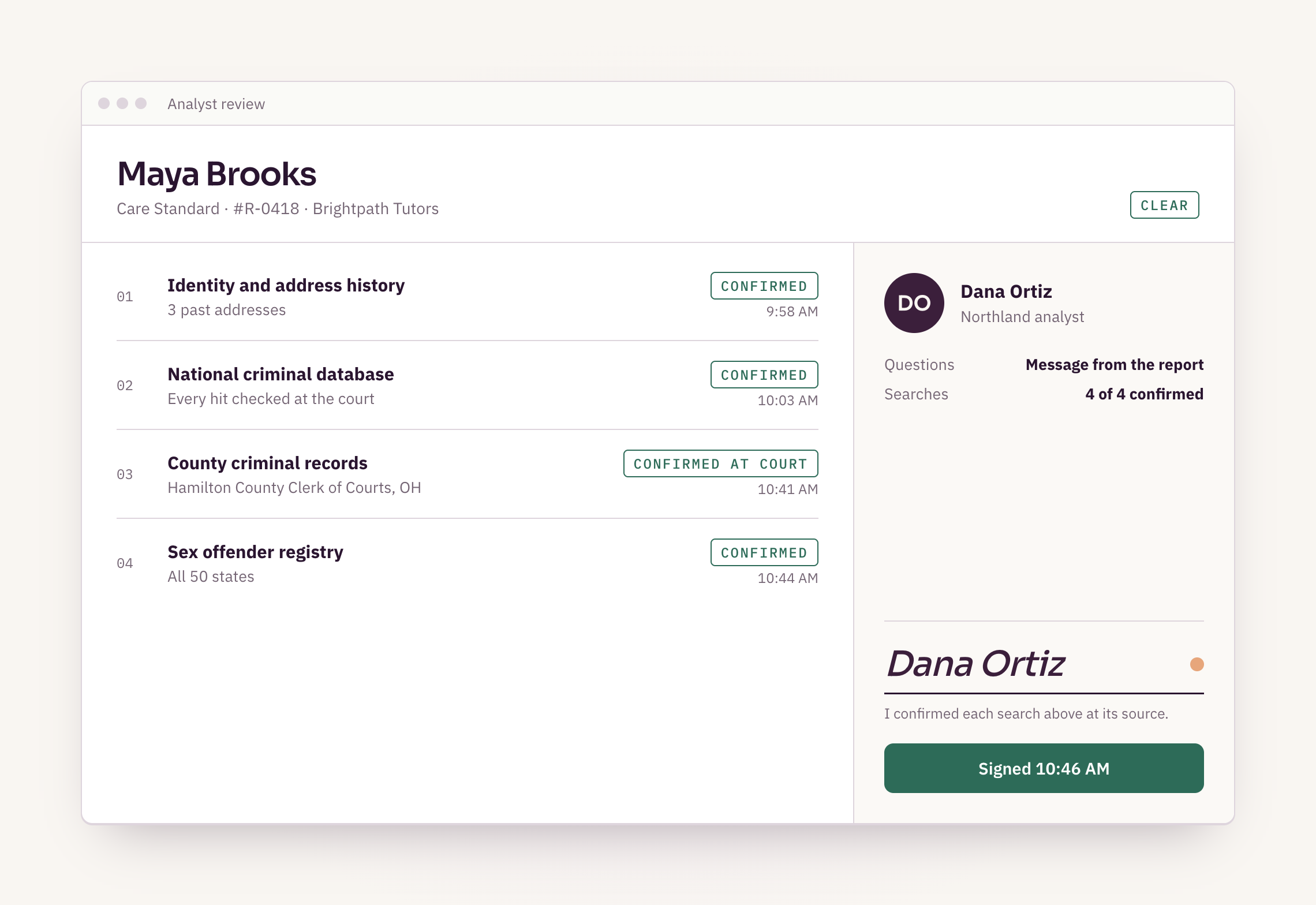
Top to bottom, the report page.
The provider, the package, then one row per search.
- The header. The provider’s name, the package, the check number and the overall result.
- The searches. One row each: identity and address history, criminal records, the registry, and any add-ons.
- Each result. Clear, or a record, with the time it was confirmed.
- The court. For county searches, the court the record was checked at, by name.
- The analyst’s note. What they found and what it means, in plain words.
- The signature. The analyst who signed the report, who you can message from the report page.
On every report
What a report shows
- Every search in the package, and its result
- The court each county record was checked at
- When each search was confirmed
- The analyst’s note
- The analyst’s name, signature and a way to message them
- A PDF of the same report
What confirmed at the court means.
An analyst read the record at its source and matched it to your provider.
Databases are a fast first pass, but they lag behind the courts and can mix up people with similar names. On every package, an analyst takes every possible record to the court that holds it, reads the current record, and checks that it belongs to your provider.
The report names that court on the row, so you can see where each record came from.
- National criminal databaseEvery hit taken to the courtConfirmed
- County criminal recordsHamilton County Clerk of Courts, OHConfirmed at court
- Sex offender registryAll 50 statesConfirmed
On Basic, a database hit goes to the court too.
Nothing from a database is reported until the court confirms it.
Basic searches databases, not every county court. When a database turns up a possible record, an analyst checks that it matches your provider, then confirms it at the court that holds it. Only what the court confirms goes on the report.
That step adds the court’s time, and the status says which court the check is waiting on. A hit that turns out to belong to someone else comes off.
- National criminal databaseOne possible record, taken to the courtHit
- Franklin County Municipal Court, OHRecord read at the source and matchedConfirmed at court
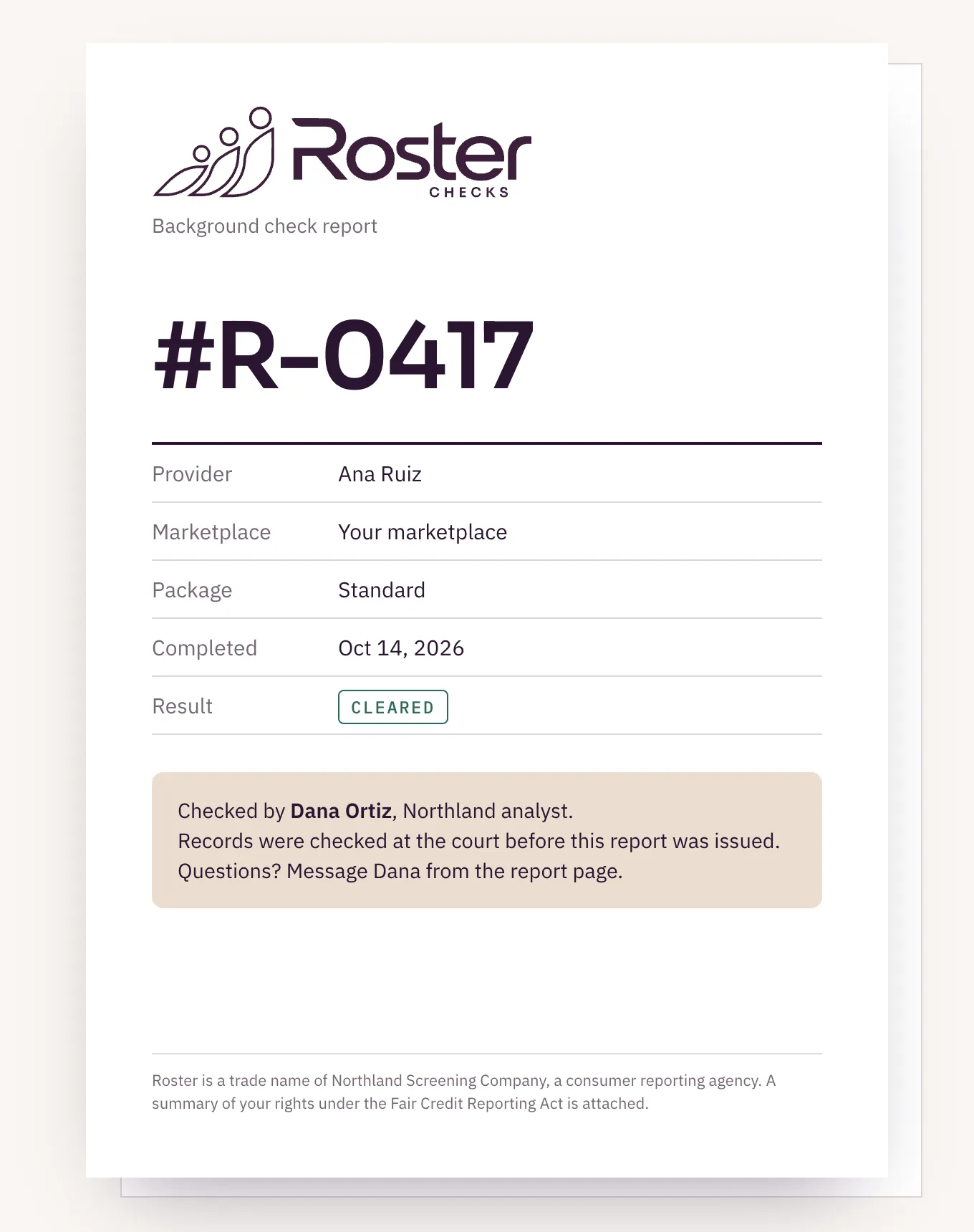
The same report, as a PDF.
For your files, or for the provider’s copy with a letter.
Every report downloads as a PDF with the same results, the analyst’s name and the summary of rights attached. When Roster prepares a pre-adverse letter, the report copy that goes with it is this PDF.
What a report leaves out, and why.
The law decides what can’t be reported. We follow it.
The FCRA limits what a background check can report for jobs, and some states go further. Arrests that didn’t lead to a conviction drop off after seven years in most cases, and sealed or expunged records never appear. That isn’t a gap in the search; the law keeps them off.
A report also shows only the searches in the package you ordered.
Never on a report
What you won’t see
- Sealed or expunged records
- Arrests with no conviction, once older than seven years
- Records a state’s law keeps out of job screening
- Searches outside the package you ordered
A question goes to the analyst who signed it.
Ask from the report page. The answer comes back on the same page.
Each report carries the analyst’s name and a way to message them. Ask about a court, a date or a record from the report page, and the analyst who did the work answers, not a ticket queue. If a provider has a question about their own report, send them to the provider help pages; if they think something is wrong, they dispute it with Northland. What happens in a dispute.
Open an example report in the sandbox.
Tell us how your ops team works today. Sandbox keys right away if your engineers want to try it first.
- A report page and PDF for every check, signed by the analyst who reviewed it, with a way to message them from the report page.
- Status in the dashboard and by webhook. explain_status says which court a check is waiting on.
- Every possible record is confirmed at the court before it’s reported, on every package.
- Notices and letters prepared with the dates filled in, behind an approval gate only admin and reviewer seats can pass.
- Your team reviews, sends the letters and makes every decision.
Reviewed November 6, 2026 by Dennis Drellishak, Owner.